HelloTransfer
For transfer companies and agencies

Run your transfer business from one dashboard

Take bookings, manage drivers and vehicles, price by zone, and work with partner agencies. Bookings from Booking.com and HotelBeds land in the same place as the ones you type in.

What you get

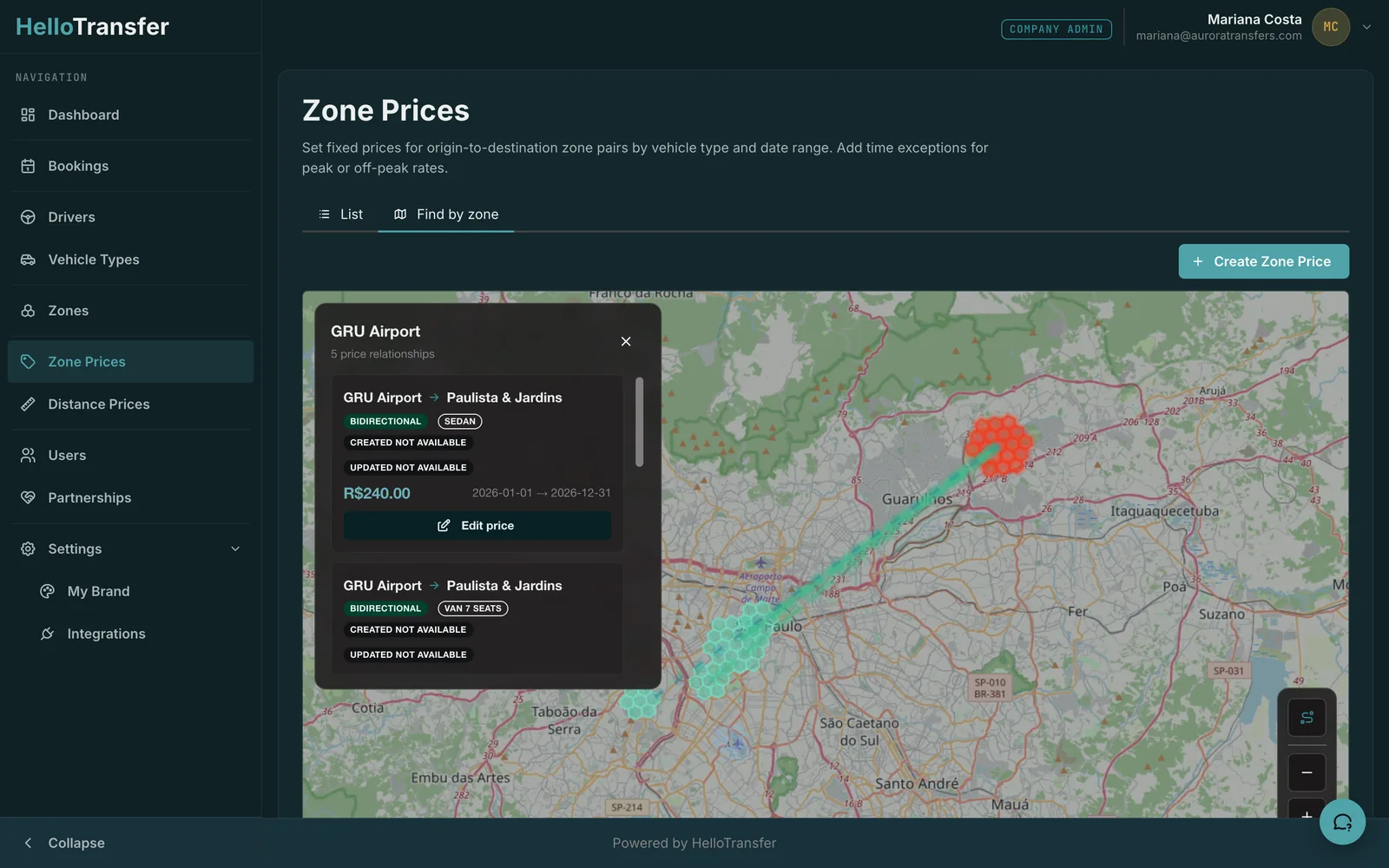
Draw your zones. Price between them.

Zones are hexagons on a map, so a pickup at Terminal 3 and one at Terminal 2 land in the same zone without a list of addresses. Set a price for each zone pair and vehicle type, with distance-based pricing as the fallback.

  • Separate price and cost currencies
  • Validity windows and day or time exceptions
  • Partner-specific rates
Zone pricing map of São Paulo with the GRU Airport zone selected and its price relationships drawnOpen full-size screenshot

Every booking in one list, wherever it came from

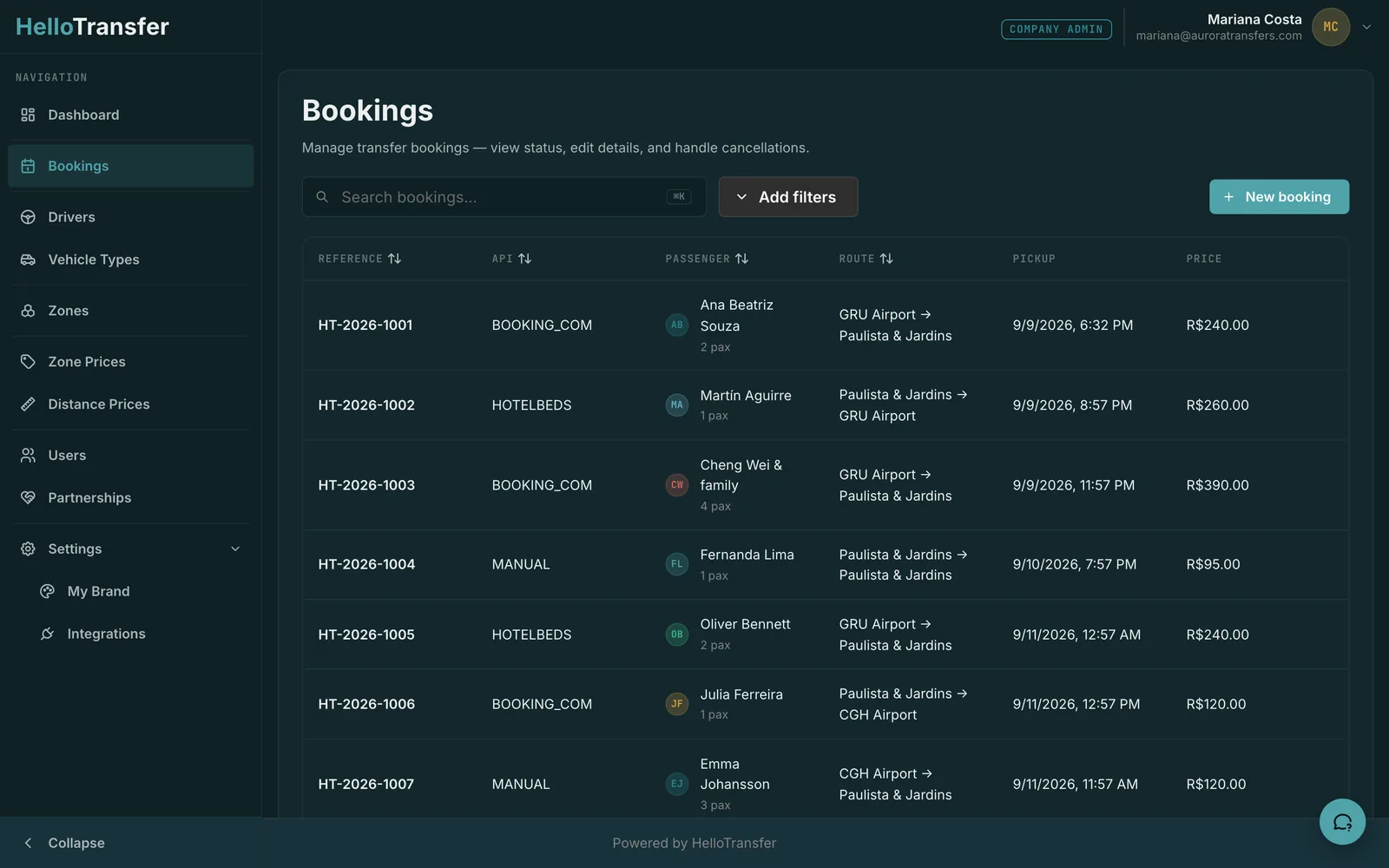
Bookings from Booking.com and HotelBeds arrive with your prices already applied and sit next to the ones your team types in. Search, filter, edit and cancel from one screen.

  • Arrival, departure and point-to-point
  • Flight number and passenger count on every row
  • Partner accept or reject status
Bookings list with reference, channel, passenger, route, pickup time and price columnsOpen full-size screenshot

Your logo, your colours, your login page

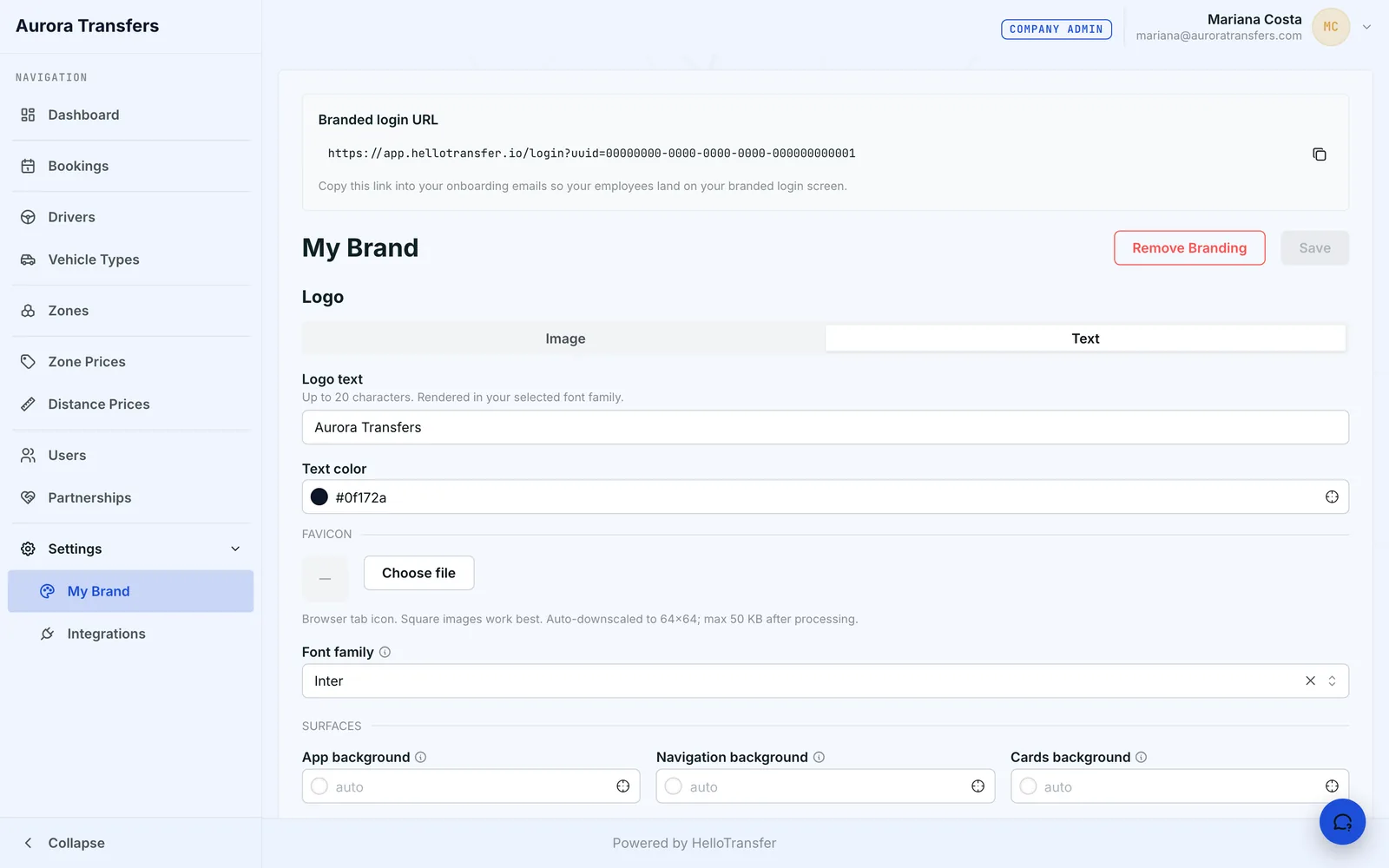
Upload a logo and the dashboard takes its colours from it, or set them by hand. Your team signs in on a page that carries your name.

  • Branded login link for onboarding
  • Light or dark scheme per company
  • Logo as an image or as text
Brand settings with a custom company name, text colour and fontOpen full-size screenshot

Agencies and transfer companies, working together

Find partners on the platform and agree a partnership. An agency sends bookings to its partners, and a transfer company takes work from several agencies. Each side sees the accept or reject status on every booking.

  • Two-way partnership approval
  • Partner-specific prices and costs
  • Margin between price and cost, per booking
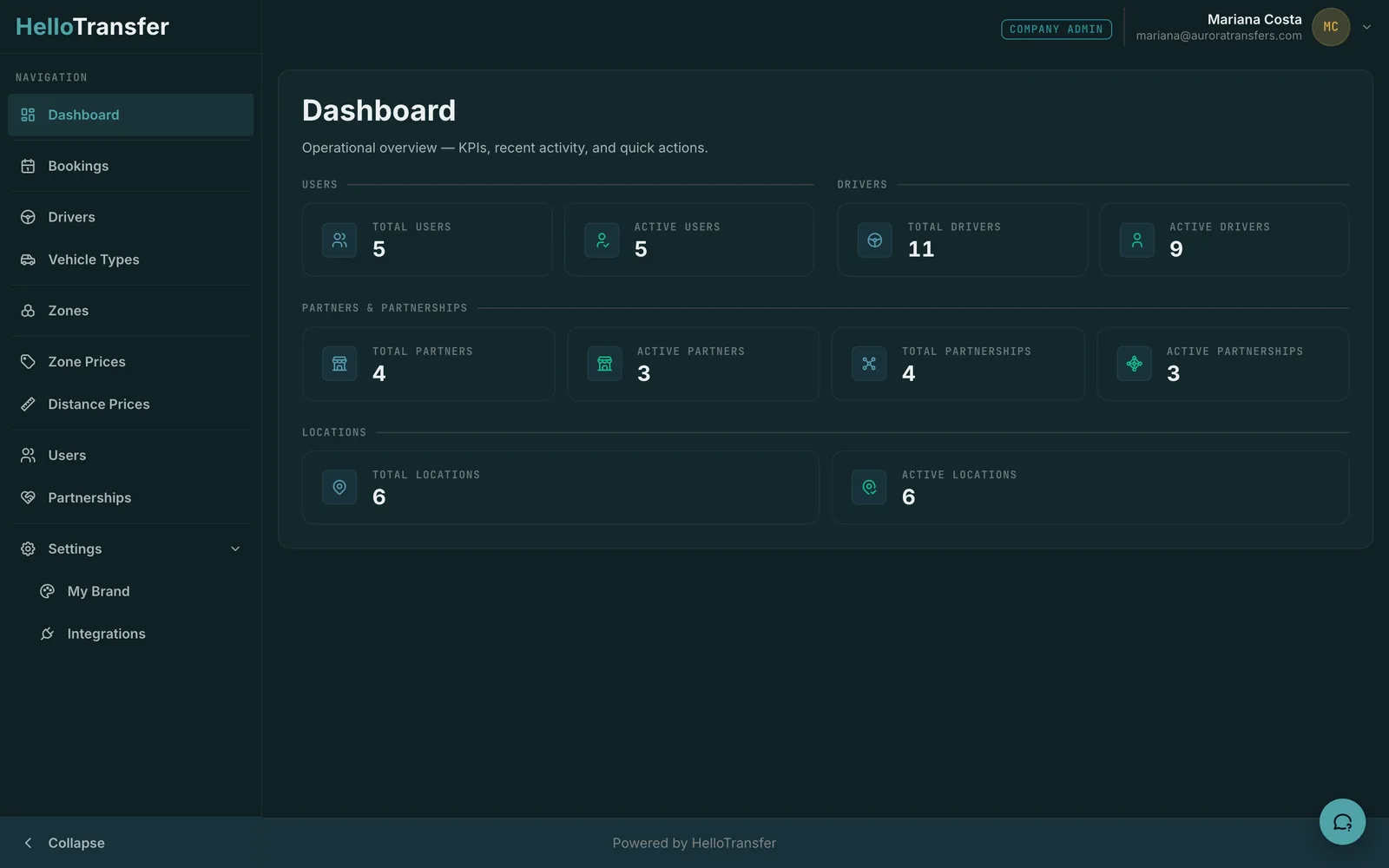
Dashboard overview with counts of users, drivers, partners and partnershipsOpen full-size screenshot
DriverApp

The app your drivers run the day from

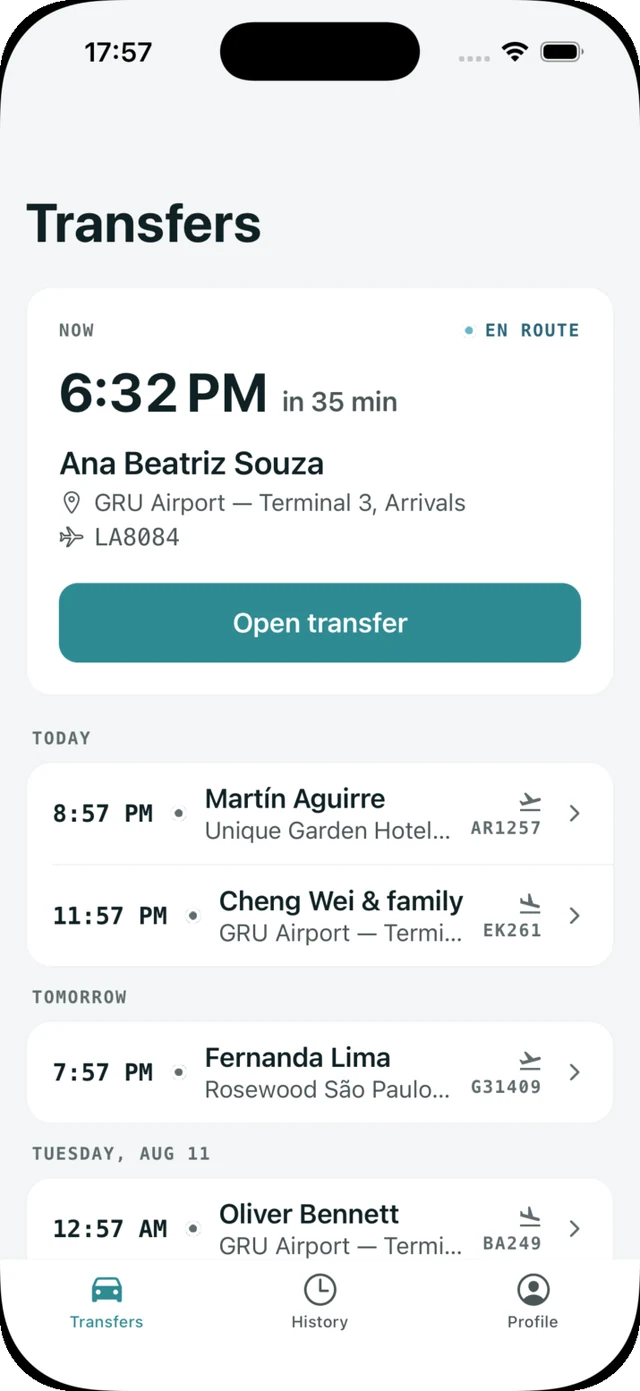
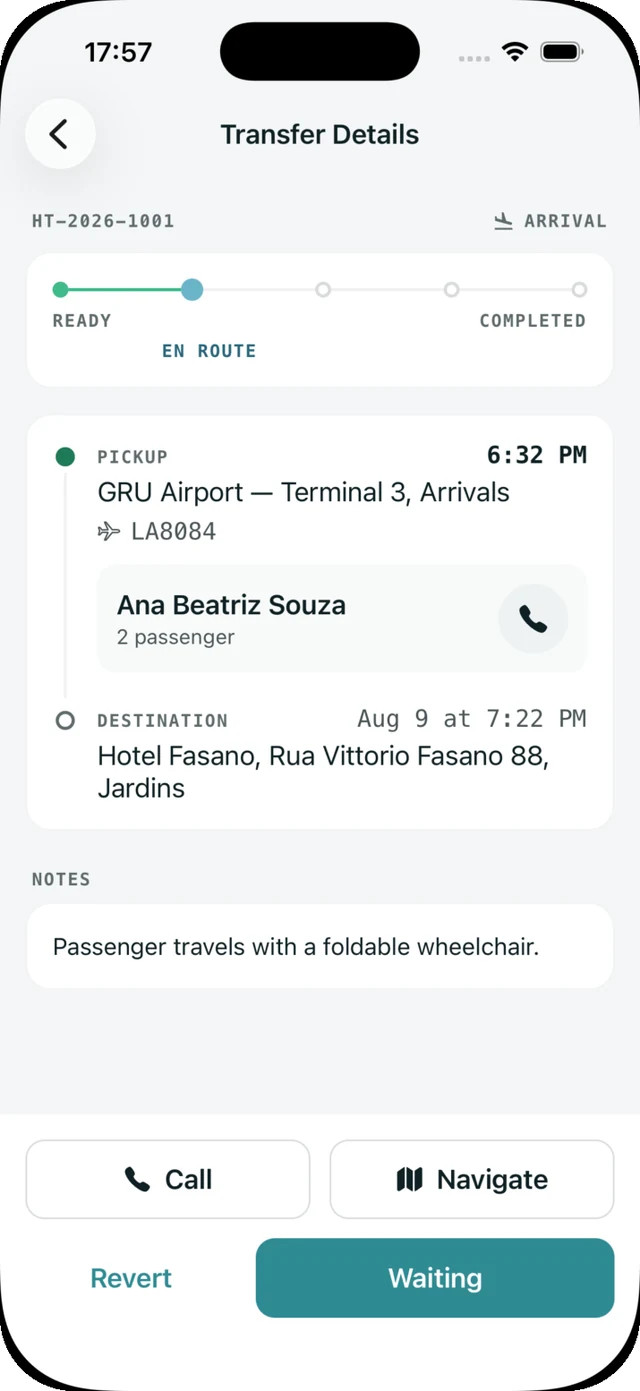
Every assigned transfer reaches the driver's phone with pickup time, passenger, address and flight number. The driver moves it from ready to en route, waiting and completed, and the dashboard shows the same status.

Notes from the booking, such as a wheelchair or a child seat

Know what's next

Today's transfers with a countdown to the next pickup

DriverApp transfers screen listing today's and tomorrow's pickups

Keep the trip moving

Call the passenger or open navigation in one tap

DriverApp transfer details with the status steps and the call and navigate buttons

Close out the day

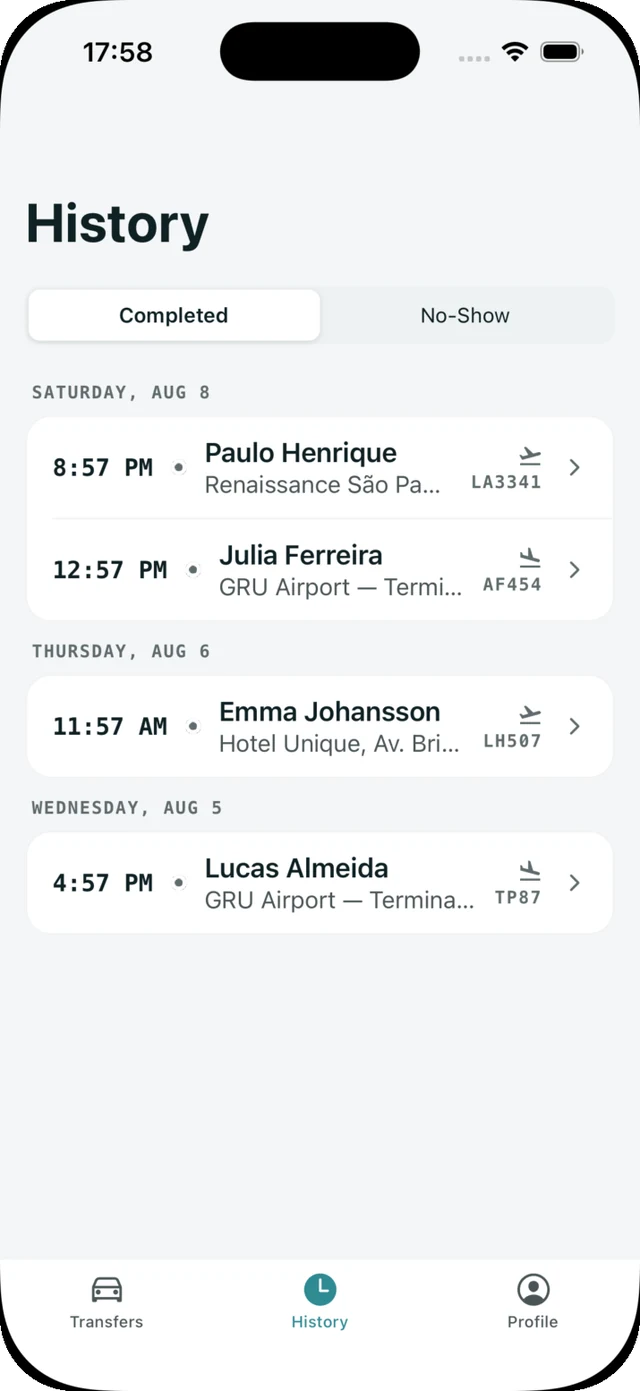
History of completed and no-show transfers

DriverApp history of completed transfers

Booking channels

Connect a channel once. Bookings from it arrive in your dashboard with your prices already applied.

  • HotelBeds
  • Booking.com

More channels are added on request.

See it with your own bookings

Write to us and we will set up a walkthrough with your team.

Contact sales